

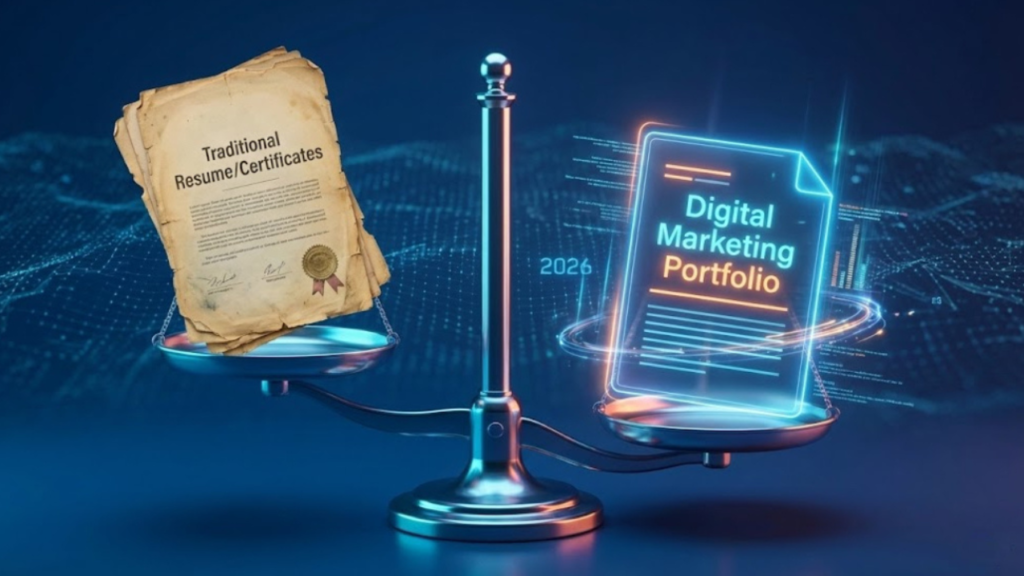
A digital portfolio has become an important tool for professionals, students, freelancers, designers, developers, content creators, and business owners who want to demonstrate their abilities in a competitive online environment. Unlike a traditional resume that primarily lists qualifications and employment history, a digital portfolio presents real examples of work, completed projects, creative ideas, and professional achievements. It allows visitors to understand not only what someone claims to do but also how effectively they can deliver results. As hiring processes, client communication, and professional networking increasingly take place online, having a carefully developed portfolio can help individuals communicate their value more clearly.
Successful portfolio development requires more than choosing an attractive template and uploading a few images. It involves understanding the intended audience, selecting relevant projects, explaining the process behind each achievement, and organizing information so visitors can find what they need without unnecessary effort. Current digital trends also make accessibility, mobile responsiveness, privacy, and authentic presentation essential considerations. Professionals exploring ideas through blog wizzydigital. org can use these principles to understand how a thoughtfully designed portfolio can support personal branding, career development, and long-term professional growth.
Understanding the Purpose of a Digital Portfolio
A digital portfolio is a structured online collection of professional work, skills, experiences, and accomplishments. Depending on the person’s goals, it may contain design samples, software projects, writing examples, marketing campaigns, photography, case studies, research projects, or business achievements. The primary purpose is to provide evidence of expertise in a format that is easy to explore. A developer might demonstrate a working application, while a graphic designer could present branding concepts and explain the decisions behind each design. Similarly, a digital marketer might show how a campaign addressed a business problem and what measurable improvements followed.
The most effective portfolios are built around a clear objective. Someone seeking employment may emphasize relevant experience, technical capabilities, and professional growth. A freelancer may focus on client problems, project outcomes, and service offerings. A student entering the job market might highlight academic assignments, independent projects, internships, and practical learning experiences. Before beginning the design process, it is useful to identify the intended audience and determine what that audience needs to know. This initial planning prevents the portfolio from becoming a random collection of materials and helps every section contribute to a consistent professional message.
Planning a Portfolio That Reflects Your Professional Identity
Defining Your Audience and Career Goals
Portfolio planning should begin with a realistic understanding of the opportunities you want to pursue. A portfolio designed for a front-end developer will differ considerably from one created for a photographer, business consultant, or social media manager. Developers may need to demonstrate coding knowledge, usability, and application performance, whereas photographers may rely on visual storytelling, composition, and a carefully selected gallery. Identifying the intended audience makes it easier to decide which projects deserve attention and which details can be excluded.
It is equally important to define a recognizable professional identity. This includes deciding how you want people to perceive your expertise, what makes your approach different, and which strengths you can demonstrate through actual work. A concise introduction, consistent visual style, and relevant project descriptions can communicate this identity effectively. For example, a freelancer specializing in small-business websites could present a portfolio centered on usability, responsive layouts, and clear customer journeys rather than displaying unrelated experiments. Resources and discussions associated with blog wizzydigital. org can serve as inspiration when considering how digital presentation, personal branding, and professional communication work together.
Selecting the Right Projects
Choosing projects carefully is more valuable than uploading everything you have ever created. Visitors generally need a quick understanding of your strongest capabilities, so a focused collection of high-quality examples is often more effective than a large gallery of unfinished or unrelated work. Each selected project should demonstrate a particular skill, solve a recognizable problem, or reveal something meaningful about your working process. Three well-explained projects can provide a stronger impression than fifteen examples with little context.
When professional experience is limited, personal projects and educational assignments can still demonstrate ability. A beginner web developer might build a responsive portfolio website, a small business landing page, and a task-management application. A content writer could present sample articles covering different industries, while a student interested in marketing might analyze a hypothetical campaign. These projects should be clearly identified as personal, academic, or conceptual rather than presented as paid client work. Honest presentation builds credibility and allows prospective employers or clients to evaluate skills without being misled.
Essential Elements of an Effective Digital Portfolio
A professional portfolio should contain enough information to establish credibility without overwhelming visitors. Its structure needs to support a natural journey from introduction to project discovery and, ultimately, contact. Although the exact layout depends on the profession, certain elements are useful for most people.
| Portfolio element | Main purpose | Practical example |
|---|---|---|
| Introduction | Establish professional identity | A short summary of expertise and goals |
| Project showcase | Demonstrate practical ability | Three detailed website development projects |
| Skills section | Explain relevant capabilities | JavaScript, responsive design, and accessibility |
| Case studies | Describe decisions and results | A website redesign with documented improvements |
| About section | Add professional context | Experience, interests, and working approach |
| Contact information | Enable professional communication | A dedicated contact form or professional email |
The introduction should communicate who you are, what you do, and the value you offer. A project showcase should prioritize relevant work and provide enough context to explain why each example matters. The skills section can reinforce your expertise, but it should not become an unsupported list of fashionable technologies. Whenever possible, connect listed skills to visible project examples. The about section can then provide additional context about your experience, professional interests, and approach to solving problems.
Contact information is another essential element because a portfolio should make the next step obvious. Employers may want to discuss an interview, while potential clients may want a quotation or consultation. A clearly presented contact method reduces friction and makes the portfolio more useful as a professional asset. These elements should work together rather than compete for attention, creating a straightforward experience for visitors who may be reviewing several candidates or service providers.
Building Strong Project Case Studies
Explaining the Problem and Your Approach
A project case study transforms a simple example into a demonstration of professional thinking. Instead of showing only the final result, explain the challenge, the intended audience, the requirements, and the decisions that shaped the outcome. This approach is especially valuable in fields where the reasoning behind the work matters as much as the finished product. For example, a website designer might explain that a small business needed clearer service information and a more accessible mobile layout. The case study could then describe how the navigation, page structure, and visual hierarchy were redesigned to address those needs.
A useful case study also distinguishes individual contributions from team achievements. If a project involved several people, explain which tasks you personally handled and how your responsibilities fitted into the larger process. This provides a more accurate picture of your abilities and prevents misunderstandings during recruitment or client discussions. When the project includes confidential information, use approved screenshots, anonymized data, or a generalized explanation rather than revealing protected business details. Professional judgment is itself an important skill, and responsible portfolio presentation can demonstrate that you understand confidentiality and client expectations.
Presenting Results With Meaningful Evidence
Where appropriate, project descriptions should include evidence of results. A marketer might report a documented improvement in engagement, while a developer could describe reduced loading time or improved accessibility. A designer might explain how user testing influenced a navigation decision. The evidence does not always need to involve revenue or percentages; it simply needs to show what changed and why the change matters. If reliable measurements are unavailable, describe the completed deliverables and the problem they were designed to solve.
Avoid inventing statistics or presenting assumptions as verified outcomes. A portfolio is more convincing when its claims can be explained and supported. You can also include lessons learned, limitations, and possible future improvements. This demonstrates that you can evaluate your own work critically rather than treating every project as a perfect success. For professionals developing their presentation strategy, blog wizzydigital. org can be considered a starting point for exploring broader ideas about online visibility, digital communication, and presenting professional capabilities in an understandable way.
Choosing the Right Platform and Technology
The technology behind a portfolio should support its purpose rather than become an unnecessary distraction. Some professionals prefer website builders because they offer templates, hosting options, and visual editing tools. Others choose content management systems for greater control over page structure and future content. Developers may build their portfolios with HTML, CSS, JavaScript, and modern frameworks to demonstrate technical proficiency while maintaining control over performance and functionality.

The best choice depends on budget, technical experience, maintenance requirements, and long-term goals. A beginner who needs a portfolio quickly may benefit from a simple platform with minimal setup. Someone who wants to demonstrate front-end development skills may prefer a custom-built website. In either case, the final experience should be reliable, readable, and easy to navigate.
| Platform approach | Best suited for | Main consideration |
|---|---|---|
| Website builder | Beginners and busy professionals | Convenience and template limitations |
| Content management system | Writers, agencies, and growing portfolios | Maintenance and configuration |
| Custom-coded website | Developers and technically skilled creators | Greater control and ongoing upkeep |
| Hosted portfolio platform | Visual artists and photographers | Built-in presentation features and platform restrictions |
Regardless of the technology, avoid adding features simply because they are available. Elaborate animations, unnecessary pop-ups, oversized videos, and complicated navigation can make a portfolio harder to use. A clean layout that loads quickly and communicates the work effectively is generally a better foundation. Technology should make the content easier to understand, not compete with it.
Designing for Mobile Users and Accessibility
Creating a Consistent Mobile Experience
Many people discover professional websites through smartphones, messaging applications, and social platforms. Consequently, a portfolio should remain useful on screens of different sizes. Responsive design allows text, images, menus, and project galleries to adapt to the available space. Visitors should not need to zoom repeatedly, scroll sideways, or struggle with buttons that are too small to tap comfortably.
Testing on multiple screen sizes helps identify problems that may not appear on a desktop computer. Images should retain their important details, headings should remain readable, and navigation should behave predictably. Large media files should be optimized to reduce loading delays, particularly for visitors using slower mobile connections. These improvements support usability while making the portfolio feel more polished and professionally maintained.
Making Content Accessible
Accessibility helps people with different abilities use and understand a website. Meaningful headings, sufficient text contrast, descriptive image alternatives, clear form labels, and keyboard-friendly navigation can improve the experience for many visitors. Video content may benefit from captions, while decorative animations should not interfere with reading or navigation. Accessibility should be considered from the beginning instead of being treated as a final cosmetic adjustment.
A useful approach is to review the portfolio using both automated checks and practical manual testing. Try navigating without a mouse, increasing text size, and viewing pages on a small screen. Check whether important information remains understandable when images are unavailable. These steps can reveal weaknesses that are easy to overlook during design. An accessible portfolio also reflects attention to detail, an important quality for professionals working in design, development, education, communications, and customer-facing roles.
Strengthening Visibility Through Search Engine Optimization
Search engine optimization can help prospective employers, customers, and collaborators discover a portfolio through relevant searches. Basic SEO begins with descriptive page titles, clear headings, useful project descriptions, and a logical site structure. Each project should explain its subject and value in natural language rather than relying on vague labels such as “Project One” or “My Latest Work.” Descriptive wording helps visitors understand the content and gives search engines more meaningful information about the page.
Technical considerations are equally important. A portfolio should load efficiently, use secure connections, avoid broken pages, and provide a sensible mobile experience. Images can be compressed without sacrificing necessary detail, while unnecessary scripts and oversized files can be removed. If the website includes multiple project pages, clear navigation can help visitors move between them and help search engines understand their relationships. Search visibility is not guaranteed, however, and results may take time. A portfolio should remain valuable to human visitors even when search traffic is limited.
Content can also be updated as professional experience develops. New projects, revised case studies, and improved descriptions provide reasons to revisit older pages and ensure that the portfolio reflects current capabilities. Professionals exploring digital presentation ideas through blog wizzydigital. org may find it useful to consider how search optimization supports a broader strategy that combines credibility, usability, and consistent online communication.
Protecting Privacy, Security, and Professional Credibility
A public portfolio can increase visibility, but publishing professional information also requires careful judgment. Before sharing project screenshots, client names, documents, or performance figures, confirm that you have permission to disclose them. Remove passwords, access tokens, private customer information, and internal business details from screenshots and code samples. If a project is subject to a confidentiality agreement, present only information that the agreement allows you to share.
Website security matters as well. Use strong, unique passwords for the accounts that manage the portfolio, enable multifactor authentication where available, and keep software and plugins updated. Contact forms should be configured carefully to reduce spam and unnecessary collection of personal information. It is also wise to review third-party scripts, embedded services, and analytics tools to understand what information they collect. These precautions help protect both the portfolio owner and the people who interact with the website.
Credibility depends on accuracy as much as security. Describe qualifications honestly, distinguish completed work from experiments, and obtain permission before using testimonials or client branding. If you use AI tools to support writing, coding, or design, review the output carefully and take responsibility for the final result. A portfolio should demonstrate genuine capabilities rather than create an exaggerated picture of experience.
Keeping a Digital Portfolio Relevant in 2026
Professional expectations continue to evolve as AI-assisted workflows, remote collaboration, digital hiring, and online service delivery become more common. A portfolio should therefore be treated as a living professional resource rather than a website that is created once and forgotten. New projects can demonstrate current skills, while older examples can be revised or removed when they no longer represent the quality of work you want to showcase. Regular updates also help ensure that contact information, software details, and professional goals remain accurate.
AI tools can assist with brainstorming project descriptions, improving grammar, organizing content, or generating ideas for case studies. Nevertheless, generic AI-generated text is rarely enough to differentiate a professional. Personal observations, real project decisions, original examples, and verifiable outcomes make the portfolio more distinctive. Use automation to improve efficiency while preserving your own voice and ensuring that all claims reflect your actual experience.
A practical maintenance routine can keep the website manageable. Review the portfolio every few months, check for broken functionality, replace outdated examples, and verify that the mobile experience remains effective. Ask a colleague or trusted professional to review the site from the perspective of a first-time visitor. Their feedback may reveal unclear descriptions, missing information, or unnecessary design elements that you have stopped noticing. Consistent improvement is more sustainable than repeatedly rebuilding the entire website.
Practical Steps for Developing a Portfolio From Scratch
For anyone starting without an established collection of professional work, a simple development plan can make the process less intimidating. Begin with a clear goal and identify the type of opportunity you want to attract. Select a small number of projects that demonstrate relevant abilities, then prepare concise explanations of the problem, your contribution, and the outcome. Choose a platform that fits your technical skills and budget, organize the pages around the visitor’s needs, and test the website before sharing it publicly.
The following actions provide a useful starting point:
-
Define your target audience and the professional opportunities you want to pursue.
-
Select three to five strong projects and explain your contribution to each.
-
Build a clear, mobile-friendly layout with accessible navigation.
-
Review privacy, security, spelling, performance, and contact details before publishing.
-
Schedule regular reviews to keep projects and skills up to date.
After publication, share the portfolio selectively in relevant professional settings. It may support job applications, freelance proposals, networking conversations, and discussions with potential collaborators. Track meaningful feedback, such as which projects attract questions or which descriptions seem confusing. These observations can guide improvements without turning portfolio management into a constant redesign project.
Conclusion
Digital portfolio development is an ongoing process of demonstrating expertise, communicating value, and building professional trust. A strong portfolio combines relevant projects, informative case studies, thoughtful design, mobile usability, accessibility, search optimization, and responsible handling of information. Its effectiveness depends less on the number of pages or visual effects than on how clearly it shows what a person can do and why that work matters.